
Quick Start Guide for Team Followers
GameSheet Teams allows players, parents, family members, and friends to stay connected throughout the season. Followers are invited by a coach or manager and can view schedules, team communication, availability, stats, standings, and other team information from a single account.
We recommend downloading the GameSheet Teams App for the best experience. Alternatively, you can access these same features through the GameSheet Web Dashboard.
Download the GameSheet Teams App:
- Apple App Store: https://apps.apple.com/ca/app/gamesheet-teams/id6503990164
- Google Play Store: https://play.google.com/store/apps/details?id=com.gamesheetinc.teams
Web Dashboard:
Sending a Follower Invitation (For Coaches & Managers)
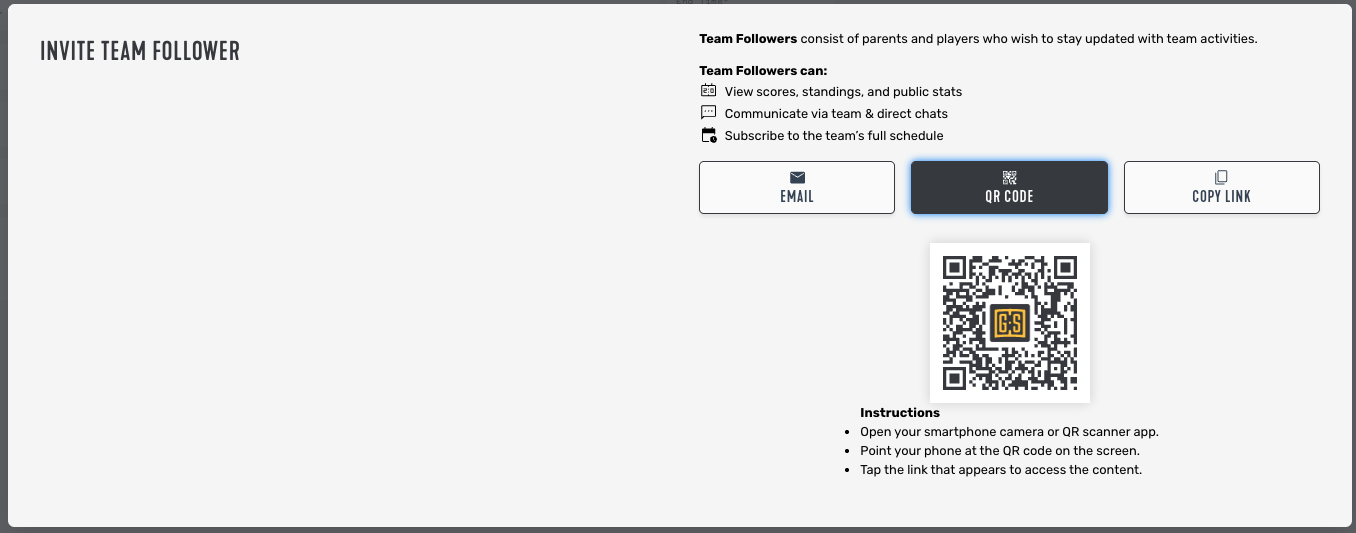
Coaches and managers can invite followers directly from the Invites section of GameSheet Teams.
Choose one of the following methods:
- Email – Send an invitation directly by email.
- QR Code – Have the follower scan the QR code with their mobile device.
-
Copy Link – Share the invitation link through text, email, or another messaging platform.
Accept Your Invitation
- Open the invitation email or link shared by your team.
- Create a GameSheet account or sign in to an existing account.
- Accept the team invitation.
Once accepted, you'll have access to your team through GameSheet Teams.
Ensure a Player is Linked to your Account
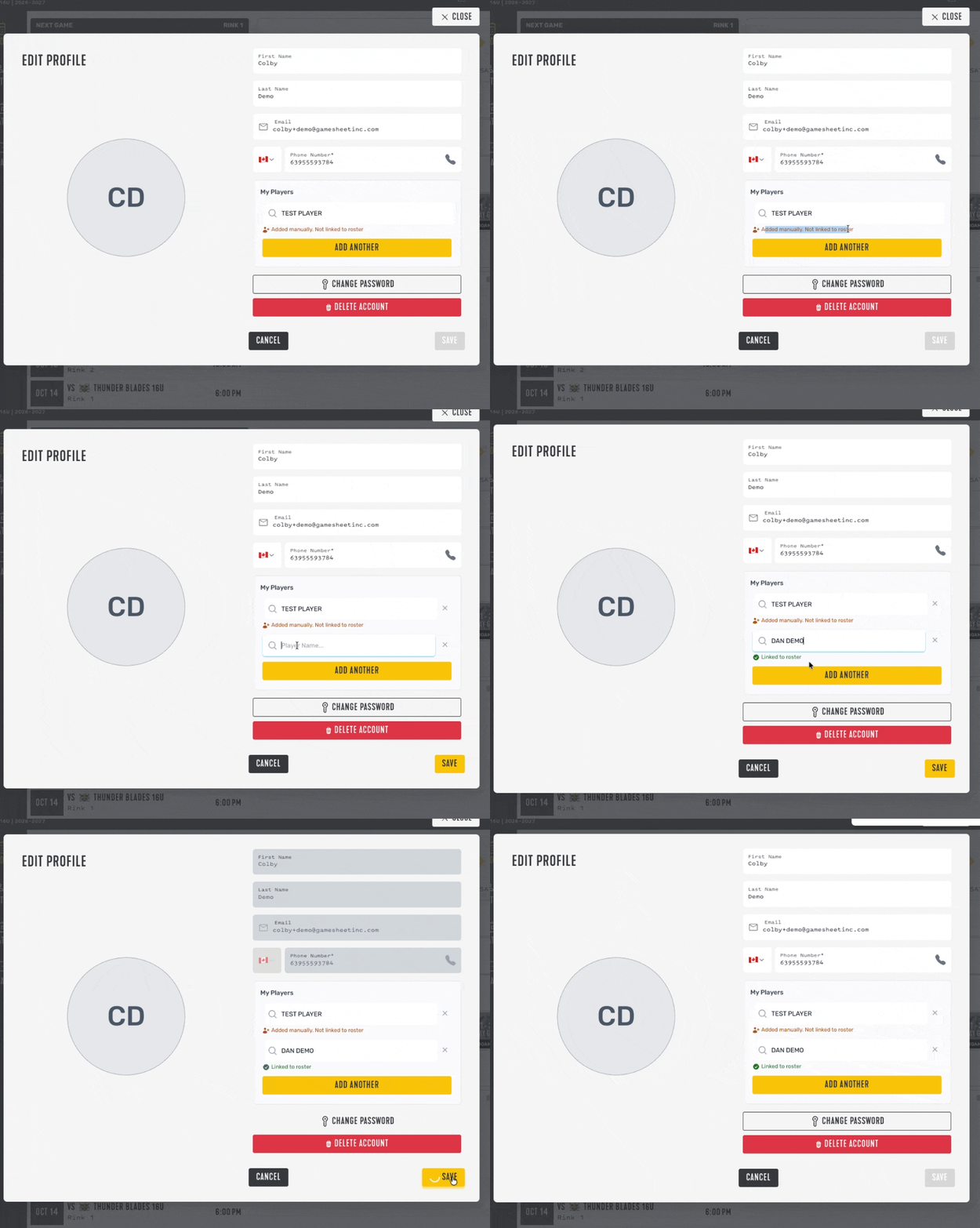
- Click your name in the top right corner and select Edit Profile.
- Under My Players, check whether your player is listed and marked Linked to roster. If they aren’t listed or linked, click Add Another.
- Search for the player by name. Only players on a roster will appear as suggestions.
- Select the correct player from the suggestions, then click Save in the bottom right corner.
Note: Followers can only set a player’s availability once the player is properly linked to their profile, as shown below.
What Can I Do as a Follower?
GameSheet Teams allows followers to stay connected with team activities throughout the season. Here are the key features available to followers:
View Schedules & Results: View upcoming games, practices, events, and completed game results.
View Stats: Access player and team statistics when permitted by the league. Some leagues may choose to keep statistics private.
Team Communication: Participate in team conversations with coaches, managers, players, parents, and other followers.
Calendar Sync: Subscribe to the team's schedule using Google Calendar, Apple Calendar, Outlook, and other supported calendar applications.
Set Availability: Let coaches and managers know whether you or your child will be attending upcoming games, practices, and events.
View Schedules & Results
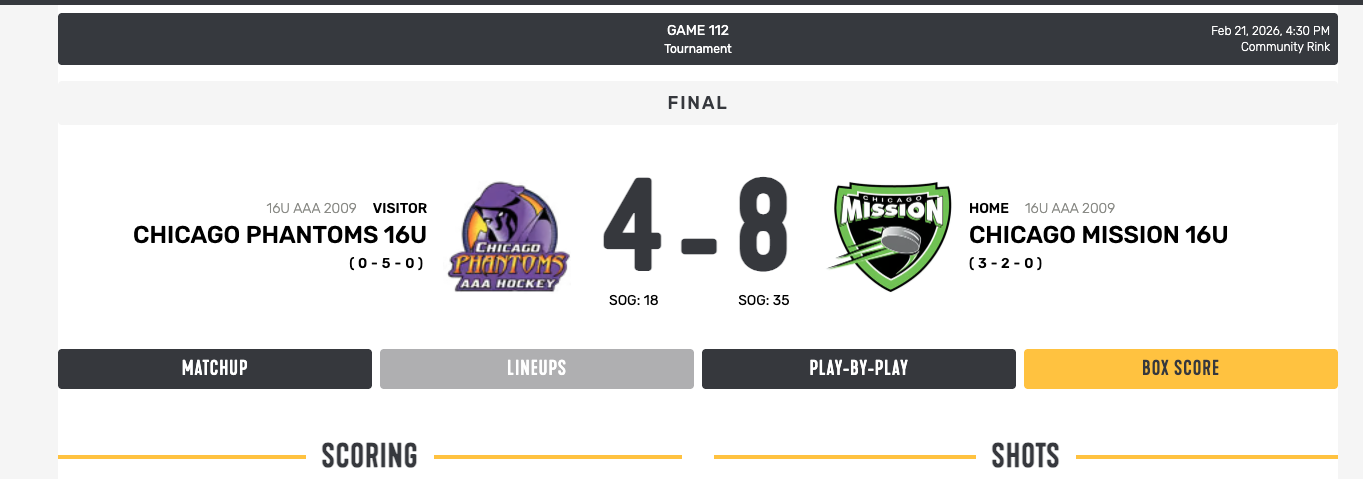
The Schedule tab displays all upcoming and completed team activities, including games, practices, and team events. Select any event to view additional details. Completed games include scores, box scores, and other available game information:
View Stats
Followers can view player and team statistics when permitted by the league:
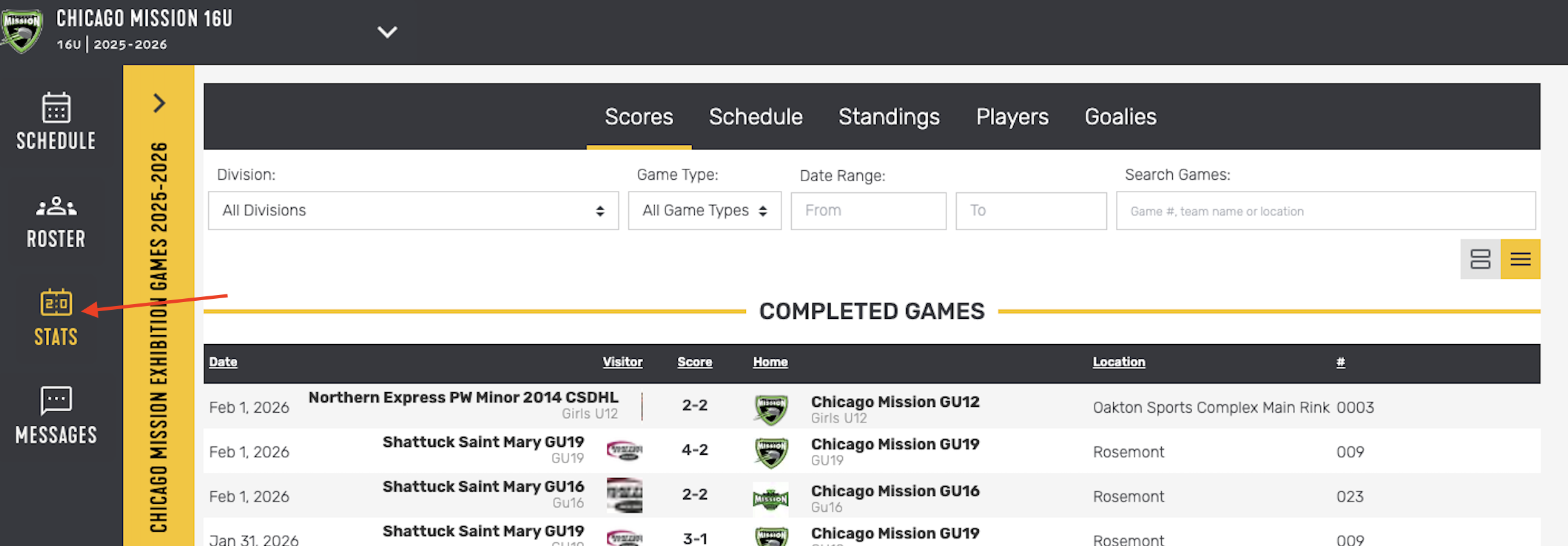
Some leagues choose to keep player statistics private. If statistics are not visible, this setting is controlled by the league and cannot be changed by the team.
Team Communication
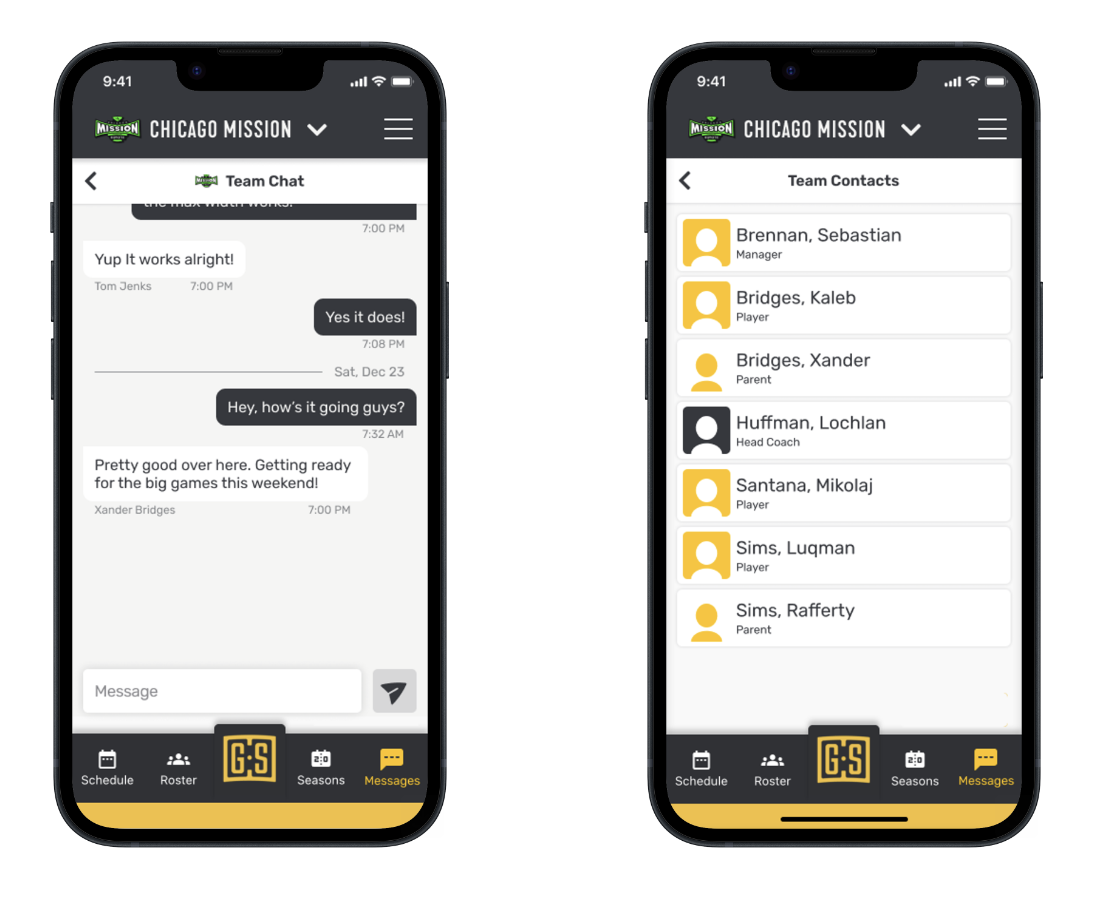
Followers can participate in team communication directly within GameSheet Teams. Use team communication to receive team updates, stay informed about schedule changes, and communicate with coaches, managers, and other followers.
Calendar Sync
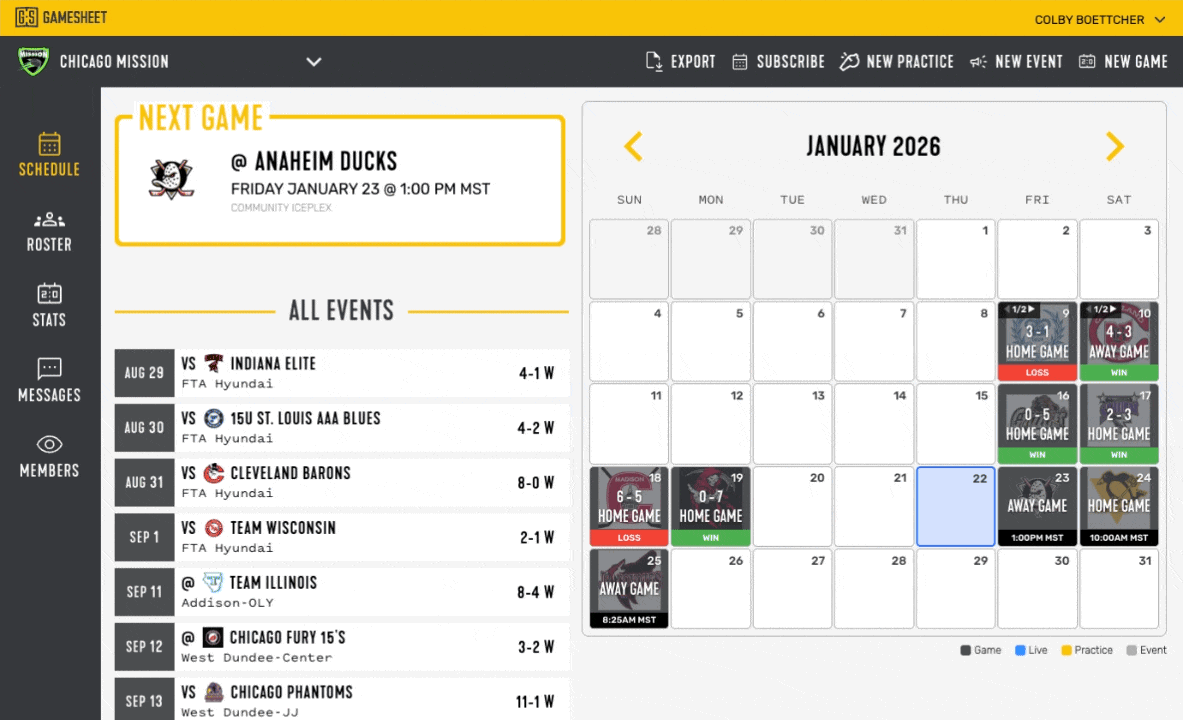
Stay organized and never miss a game, practice, or event by subscribing to your team's calendar.
GameSheet supports calendar subscriptions for Google Calendar, Apple Calendar, Microsoft Outlook, and other calendar applications that support URL subscriptions.
For more information, please see the full article here: How to Subscribe to your Team Schedule
Set Availability
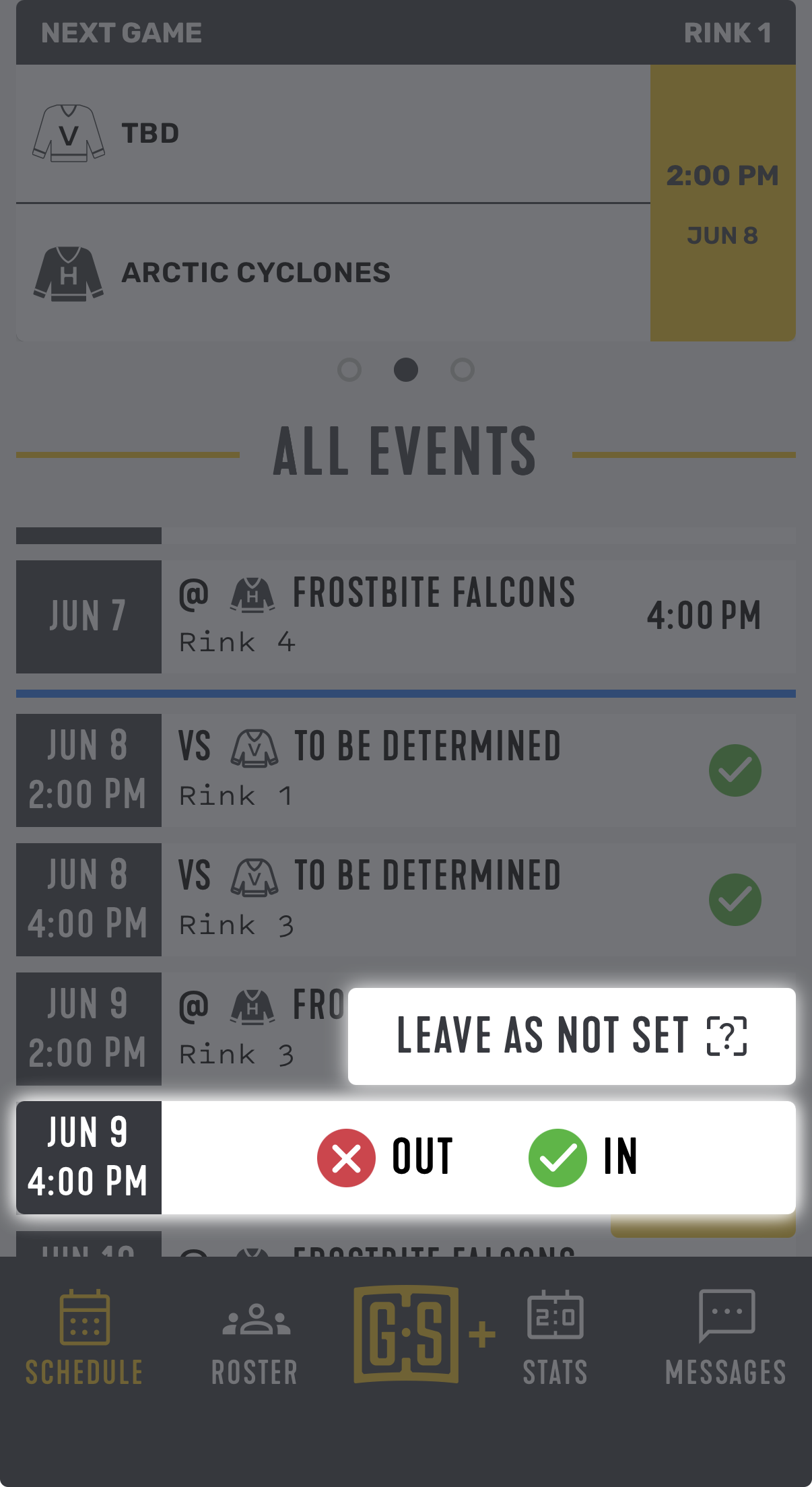
Followers can submit availability for themselves or Players related to them. Keeping availability up to date helps coaches and managers plan effectively and understand who will be attending each activity.
To update availability, tap on the left side of an upcoming event from the Schedule tab, select your availability status, and save your response:
Need Help?
If you have not received an Invitation, contact your coach or team manager!